
Store listing
$30 Quest Store CreditVR Hardware
Meta Quest 3
Details and availability come from the official listing.
www.meta.com
$599.99
Affiliate link. It helps support SpaceRoachVR.
Headset and setup guide
Pick the headset for how you actually play, then fix comfort and battery before chasing nice-to-have extras. Quest 3S is the easiest first headset, Quest 3 is the sharper standalone option, and PCVR only makes sense if your PC can carry it.

$23.39
Rated for fast charge and Quest Link. KIWI seems to make a lot of quality VR products, and this one is no different. Far less expensive than the official Meta Link Cable.
Pick your lane
Pick the thing that would make the headset better tonight: a game, a discount check, a comfort fix, or a hardware answer.
Quest 3S if budget matters. Quest 3 if clarity and mixed reality matter more.
Compare headsetsA strap or battery strap usually improves every session more than grabbing another game.
Find comfort gearUse a Link cable for stability or a dedicated router if Air Link is the pain point.
Check setup notesUse the hardware page to sanity-check the tradeoffs before spending headset money.
Browse all hardwareQuick help
Good places to start
Start with Meta Quest 3, Quest 3S, battery straps, Link cables, routers, and comfort upgrades that fix the most common VR setup problems.
VR Hardware
Details and availability come from the official listing.
$599.99
Affiliate link. It helps support SpaceRoachVR.

VR Hardware
Details and availability come from the official listing.
$349.99
Affiliate link. It helps support SpaceRoachVR.
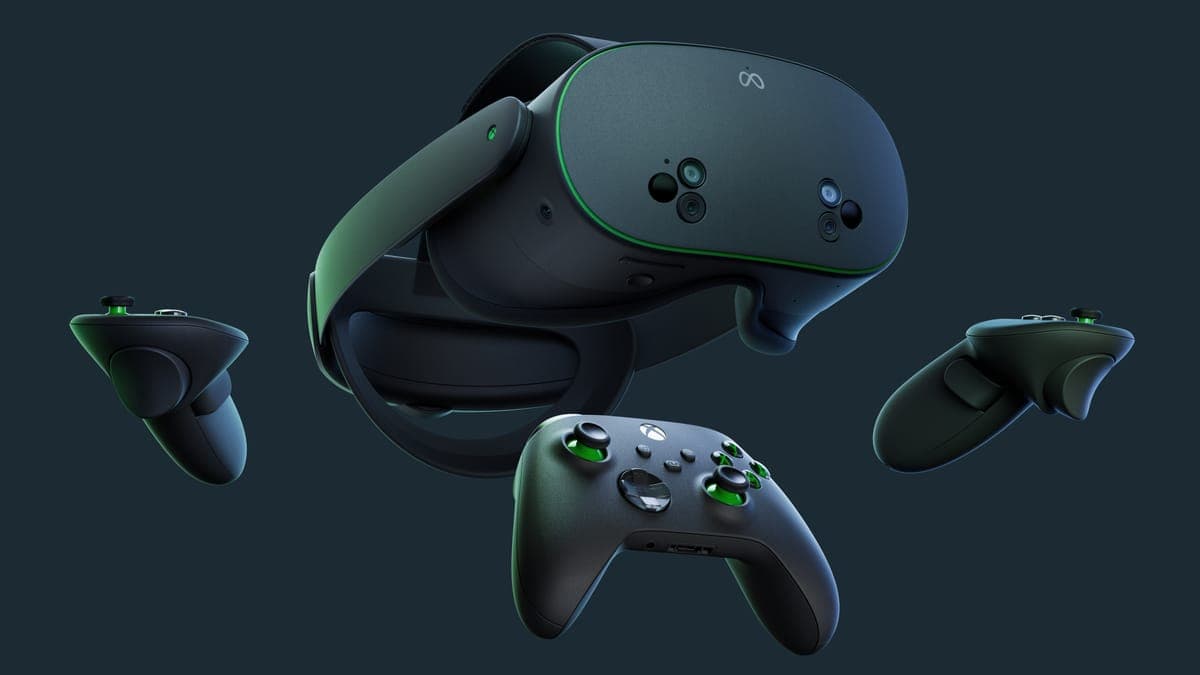
VR Hardware
Details and availability come from the official listing.
$349.99
Affiliate link. It helps support SpaceRoachVR.

VR Hardware
Details and availability come from the official listing.
$1299.00

VR Hardware
Details and availability come from the official listing.
$640.00

VR Hardware
Details and availability come from the official listing.
$549.99
Affiliate link. It helps support SpaceRoachVR.
VR Hardware
Details and availability come from the official listing.
$549.99
Affiliate link. It helps support SpaceRoachVR.
VR Hardware
Details and availability come from the official listing.
$549.99
Affiliate link. It helps support SpaceRoachVR.
Some links support SpaceRoachVR. Prices and discounts can change, so use the store page as the final say before you install or order. Learn more about affiliate links
Each headset here has a lane. Quest 3S is the easy first headset, Quest 3 is the standalone sweet spot, and Pimax is for PC players chasing cockpit clarity. Start with how you actually play, then check the specs.
From $499.99
New Meta accounts may qualify for Quest Cash, which is exactly what you want after setting up the headset.
The Best All-Around VR Headset
Next-Gen Mixed Reality: The Quest 3 has full-color passthrough that mixes your room with digital objects. With dual RGB cameras and a depth projector, it understands your space well enough for mixed reality games to use real furniture.
Pancake Lenses & 4K+ Display: The pancake lenses are the reason Quest 3 feels like the premium model. You get a much larger clear area than Fresnel headsets, so menus, cockpit gauges, subtitles, and distant targets stay readable without constantly nudging the headset around.
Double the Processing Power: Powered by the Snapdragon XR2 Gen 2, the Quest 3 delivers twice the graphical performance of the Quest 2. This means higher resolution textures, better lighting, and more complex games running entirely standalone without a PC.
Resolution
2064x2208 per eye
Refresh Rate
90Hz / 120Hz
FOV
110° Horizontal / 96° Vertical
Processor
Snapdragon XR2 Gen 2
Tracking
Inside-out 6DoF
Weight
515g
Pros
Cons
From $299.99
New Meta accounts may qualify for Quest Cash, which is exactly what you want after setting up the headset.
Unbeatable Value in VR
Flagship Power, Entry-Level Price: The Quest 3S packs the exact same Snapdragon XR2 Gen 2 processor as the more expensive Quest 3. This means it can play every single game in the Quest library with the same high-end performance, but at a fraction of the cost.
Mixed Reality on a Budget: Despite the lower price, the Quest 3S still features full-color passthrough for mixed reality experiences. You can watch YouTube while doing dishes or play games that integrate with your living room.
The Perfect First Headset: If you are new to VR or upgrading from an older headset, the Quest 3S is the most logical choice. It offers 90% of the Quest 3 experience for $200 less, making it the best value in the industry.
Resolution
1832x1920 per eye
Refresh Rate
90Hz / 120Hz
FOV
96° Horizontal / 90° Vertical
Processor
Snapdragon XR2 Gen 2
Tracking
Inside-out 6DoF
Weight
514g
Pros
Cons
The Pinnacle of PC-VR Clarity
Unparalleled Visual Fidelity: The Pimax Crystal Light delivers a staggering 2880x2880 QLED display per eye. With 16.6 million pixels and local dimming, it offers breathtaking clarity, rich contrast, and vivid colors that make flight and racing simulators incredibly realistic.
Glass Aspheric Lenses: Unlike most headsets that use plastic lenses, the Crystal Light uses optical glass aspheric lenses. This provides edge-to-edge clarity, reduces distortion, and maximizes the potential of the ultra-high-resolution displays.
Dedicated PC-VR Performance: Built for PC-VR players, it connects directly to your gaming rig via DisplayPort for uncompressed, low-latency visuals at up to 120Hz. It works with SteamVR and supports inside-out tracking.
Resolution
2880x2880 per eye
Refresh Rate
Up to 120Hz
FOV
125° Horizontal
Processor
PC Tethered
Tracking
Inside-out (Lighthouse optional)
Weight
815g
Pros
Cons
Premium Convertible Standalone
Convertible Form Factor: The Vive XR Elite is uniquely versatile. You can detach the battery cradle and snap on temple pads to convert it into a lightweight pair of VR glasses powered by a USB-C power bank or PC.
Built-in Diopter Adjustment: Say goodbye to wearing glasses in VR. The XR Elite features stepless IPD and built-in diopter dials on each lens, allowing you to adjust the focus to match your prescription for a crystal-clear view.
Vibrant Mixed Reality: Equipped with a high-resolution RGB passthrough camera and depth sensor, it delivers excellent mixed reality experiences. It also supports wireless PC-VR streaming via Wi-Fi 6E for high-octane gaming.
Resolution
1920x1920 per eye
Refresh Rate
90Hz
FOV
110°
Processor
Snapdragon XR2
Tracking
Inside-out 6DoF
Weight
625g (273g in glasses mode)
Pros
Cons
The Ultimate Enthusiast Headset
Mind-Blowing 3840x3840 Resolution: The Crystal Super goes hard on clarity with an insane 3840x3840 resolution per eye. QLED+MiniLED panels with local dimming give it deep contrast and sharp cockpit-friendly detail.
Interchangeable Optical Engines: A revolutionary feature allows you to swap the optical engines, giving you the choice between ultra-high-resolution QLED panels or micro-OLED panels depending on your preference for brightness or absolute black levels.
Advanced Tracking & Audio: It includes built-in eye tracking for foveated rendering, automatic IPD adjustment, and high-fidelity 3D spatial audio. It supports both inside-out tracking and SteamVR Lighthouse tracking for pinpoint accuracy.
Resolution
3840x3840 per eye
Refresh Rate
72Hz / 90Hz / 120Hz
FOV
130° Horizontal
Processor
PC Tethered
Tracking
Inside-out & Lighthouse
Weight
TBD
Pros
Cons
The Lightweight Standalone Alternative
Balanced Comfort Design: The PICO 4 places the battery in the rear strap, creating a perfectly balanced headset that is incredibly comfortable for long sessions. Combined with pancake lenses, the front visor is remarkably thin and light.
Crisp 4K+ Visuals: Dual 2.56" Fast-LCD panels deliver a crisp 2160x2160 resolution per eye, while the 105° field of view and motorized IPD adjustment make it easier to dial in a sharp view for gaming and media.
Excellent PC-VR Streaming: While it has its own standalone store, the PICO 4 shines as a wireless PC-VR headset. With Wi-Fi 6 support and excellent streaming software, it is a fantastic choice for playing SteamVR games wirelessly.
Resolution
2160x2160 per eye
Refresh Rate
72Hz / 90Hz
FOV
105°
Processor
Snapdragon XR2
Tracking
Inside-out 6DoF
Weight
586g (balanced)
Pros
Cons
The Enterprise-Grade Hybrid
Lossless PC-VR via DisplayPort: The Focus Vision bridges the gap between standalone and PC-VR. It features a dedicated DisplayPort mode that bypasses compression, delivering lossless, high-fidelity visuals straight from your PC.
Built-in Eye & Face Tracking: Take social VR to the next level. With built-in eye tracking and support for face tracking, your avatar in VRChat will mimic your real-life expressions, making interactions incredibly lifelike and intuitive.
Auto-IPD & 5K Display: The headset automatically aligns the lenses with your pupils, which matters more than spec sheets make it sound. The 5K resolution (2448x2448 per eye) and 120° FOV give PC-VR players a wide, sharp image without as much manual fiddling.
Resolution
2448x2448 per eye
Refresh Rate
90Hz
FOV
120°
Processor
Snapdragon XR2
Tracking
Inside-out 6DoF
Weight
785g
Pros
Cons
| Feature | Meta Quest 3 | Meta Quest 3S |
|---|---|---|
| Price (128GB) | $499.99 | $299.99 |
| Display Resolution | 2064x2208 per eye (4.5 million pixels) | 1832x1920 per eye (3.5 million pixels) |
| Lenses | Pancake lenses (Thinner, clearer) | Fresnel lenses (Quest 2 style) |
| Field of View | 110° horizontal / 96° vertical | 96° horizontal / 90° vertical |
| Processor | Qualcomm Snapdragon XR2 Gen 2 | |
| Best For | Enthusiasts, PC-VR users, demanding games | First-time Quest owners, budget-conscious gamers |
SpaceRoach Verdict: Pick Quest 3S if this is your first headset or you mostly play active games. Pay for Quest 3 if you care about lens clarity, text readability, mixed reality, or long sessions where Fresnel blur gets annoying.
| Feature | Pimax Crystal Light | HTC Vive XR Elite | PICO 4 |
|---|---|---|---|
| Starting Price | $1,035 | $536.93 | $1,005.37 |
| Display Resolution | 2880x2880 per eye (QLED + Local Dimming) | 1920x1920 per eye (LCD) | 2160x2160 per eye (Fast-LCD) |
| Lenses | Glass Aspheric | Pancake (with Diopter) | Pancake |
| Connection | DisplayPort (Wired) | Standalone / Wi-Fi 6E | Standalone / Wi-Fi 6 |
| Weight | 815g | 625g (273g glasses mode) | 586g (balanced) |
| Best For | Simulators, ultimate clarity | Portability, glasses wearers | Comfort, wireless PC-VR |
SpaceRoach Verdict: For flight and racing sims, the Pimax Crystal Light is the clarity pick. The HTC Vive XR Elite is more about flexibility and glasses-free comfort, while the PICO 4 makes the most sense as a balanced wireless PC-VR option.
A better strap, grips, cable, or router can matter more than grabbing another game. These are the upgrades I'd look at first because they solve pain points you actually feel in-headset. The full list, from comfort and battery to travel cases and PCVR cables, is on the VR accessories page.
The stock Quest strap is fine for proving the headset works, then it starts annoying you. A good strap spreads weight, adds battery, and stops "my face hurts" from ending the session early.
$125.99
Built-in Audio: Dual speakers eliminate need for separate headphones
10,000mAh Battery: 4-6 hours extended play
Premium Comfort: Memory foam padding
Best all-in-one comfort/audio fix
Check Strap Deal →Out of stock
10,000mAh Battery: Doubles playtime
Ergonomic Design: Weight counterbalance
Quick Release: Easy on/off mechanism
Best value if comfort is the main problem
Check Strap Price →
$24.99
Built-in Battery: +2 hours playtime
Official Meta: Guaranteed compatibility
Premium Design: Enhanced comfort & support
Official fit, cleaner look, higher price
Get it on QuestMotorized chair for seated VR and sim setups
$999.99
SpaceRoach Take: This is not a casual accessory. It's for racing, flight, and seated VR players who hate cable twist and want the chair to follow the headset. Pricey, but the use case is real.

Transform controller comfort with silicone grips. Features adjustable wrist straps and knuckle security: play Beat Saber without death-gripping controllers.
Compact, weight-balanced VR gunstock that stays in your hands. Perfect for FPS games like Contractors, Onward, and Pavlov. Use code SPACEROACH for 5% off!

Connect to PC for high-end VR gaming. 16ft length provides freedom of movement while maintaining 5Gbps transfer speeds and simultaneous charging.

Dedicated WiFi6 router optimized for Air Link. Eliminates lag and stuttering for wireless PC-VR streaming.
Advantages:
Limitations:
Advantages:
Limitations:
Modular magnetic facial interface with 3 swappable pads. Perfect for shared headsets or switching between workout games and immersive experiences.
SpaceRoach Tip: Use mesh pad for Beat Saber, fabric for long story games, leather for easy maintenance.
SpaceRoachVR uses affiliate links. When you purchase through these links, I may earn a small commission at no extra cost to you. This helps support my VR reviews, comparisons, and deal tracking.
Some links support SpaceRoachVR. Prices and discounts can change. The store page has the final say. Some links support SpaceRoachVR. Learn more


